
Deployment
Overview
io.Bridge can be deployed locally (on the user machine or on-premise in a local cloud) or in the cloud. The deployment process is simple and can be done in a few steps.
Local Deployment
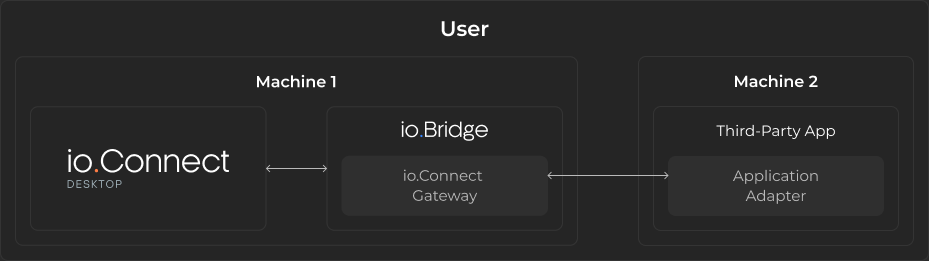
The following diagram demonstrates a local deployment of io.Bridge that enables interoperability for a user working on two or more machines. For instance, a trader running io.Connect Desktop on one machine and Fidessa on the other. The alternative approach would be to expose the ports of the first machine and connect the Application Adapter running on the second machine directly to the io.Connect Gateway embedded in io.Connect Desktop, but that approach introduces potential security vulnerabilities. Using io.Bridge solves the problem of enabling cross-machine interoperability securely and reliably:
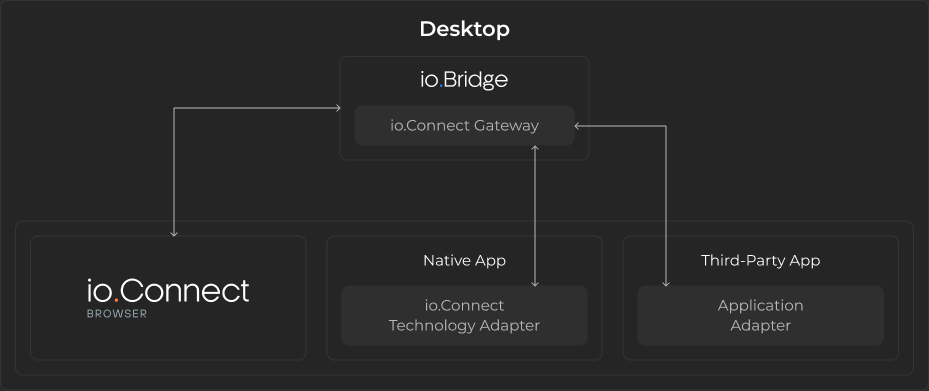
The following diagram demonstrates a local deployment of io.Bridge that a developer might use when working on or testing the io.Connect Browser platform. In this case, io.Bridge provides connectivity between the web-based io.Connect platform, an interop-enabled native app, and a third-party app powered by an io.Connect Application Adapter. This deployment scenario is recommended for development and testing purposes:
ℹ️ For more details on deploying io.Bridge locally, see the Deployment > Local section.
Cloud Deployment
io.Bridge can be deployed in a cloud environment via Kubernetes. Supported Kubernetes environments include GKE, EKS, AKS, and Minikube.
The following diagram demonstrates a cloud deployment of io.Bridge:
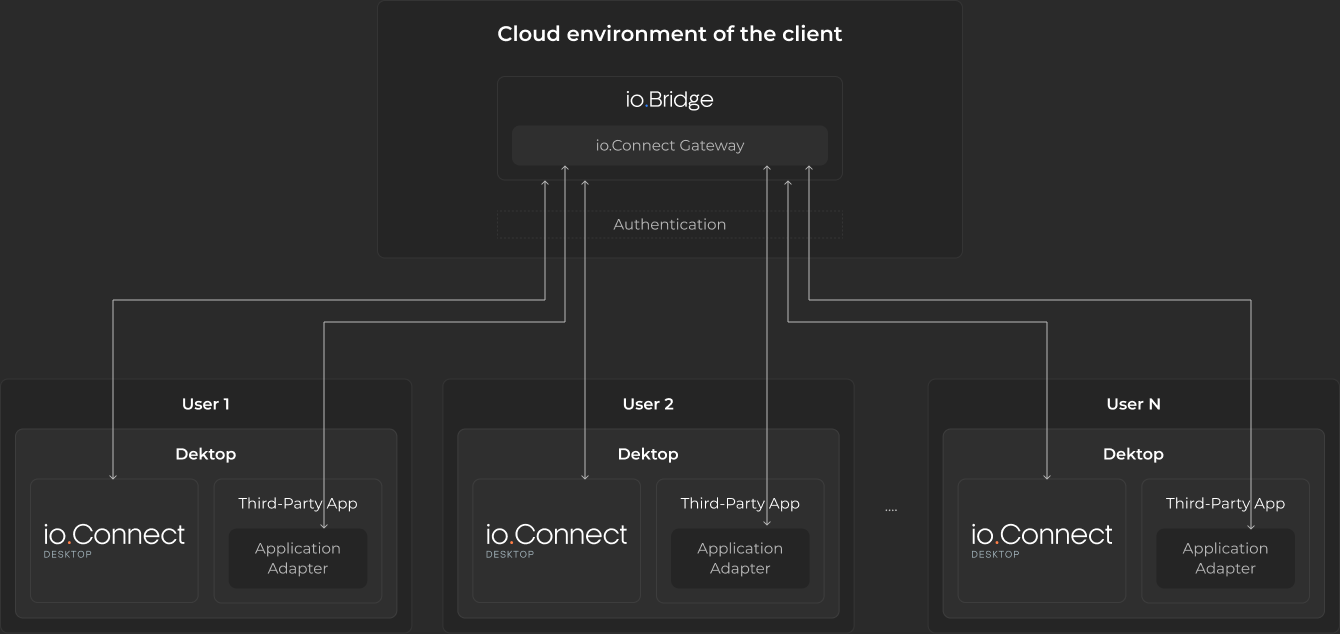
The cloud-based deployment of io.Bridge is intended for simultaneous multi-user support - i.e., multiple users utilizing a shared instance of io.Bridge.
The cloud deployment option enables secure and scalable cross-machine interoperability without having to install additional software on the machines of your users. This setup can be used to provide a zero-install experience for io.Connect Browser users if you want to enable interoperability between io.Connect Browser, interop-enabled native apps, and third-party apps powered by the io.Connect Application Adapters.
ℹ️ For more details on deploying io.Bridge in the cloud via Kubernetes, see the Deployment > Kubernetes section.